Consultants & creatives
Keep the project conversation, decision maker, proposal, and follow-up together.
Product tour
Start with a company you know. Keep the conversation close. Give the next step a date. Here’s how that looks in Reo.
Walk through the first stepsA guided look at the web-based sales workspace
In the app, an account is a company you sell to, or hope to sell to. Start with its name. Add the person you talk to and the details you want to remember.
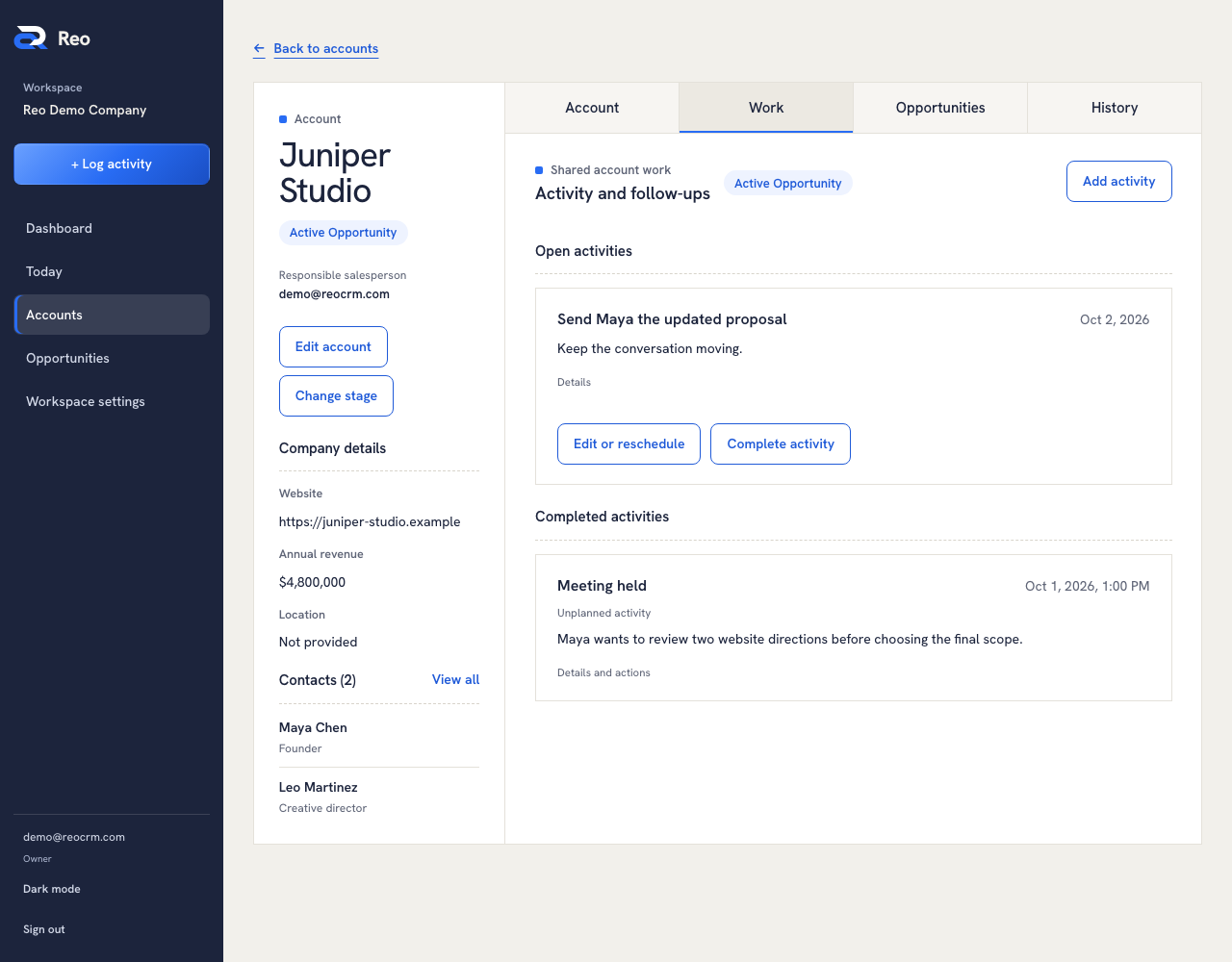
After a call or meeting, open the company and choose Log activity. Record what happened and add a short note. Use Add a follow-up to give the next step a name and a date.
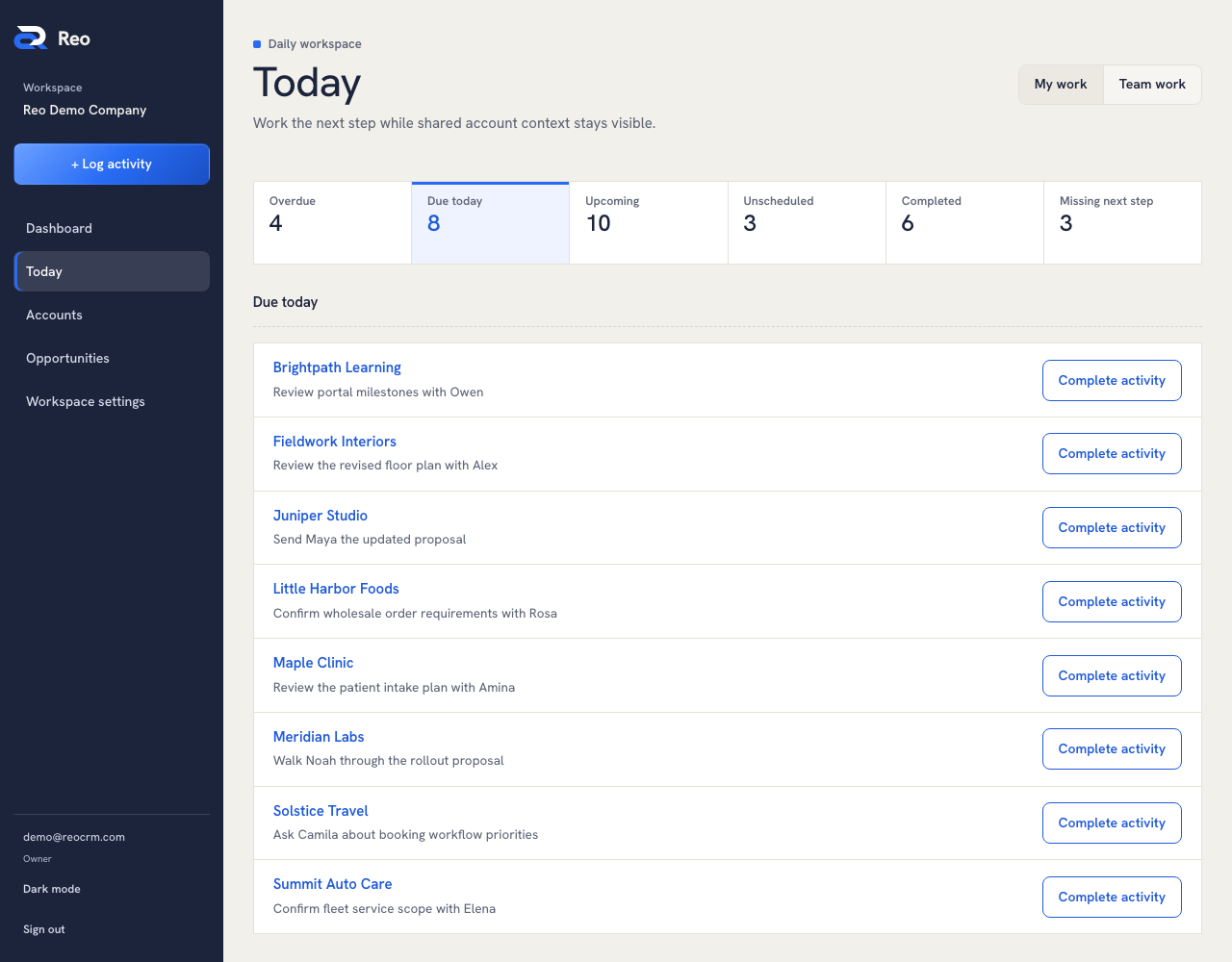
Come back to Today to see your due work. Overdue follow-ups stay visible. If a task has no date, it stays in Unscheduled until you choose one.
“Maya wants to compare two options.”
Next step: send the updated proposal.Logging records what happened. You make the call or send the message yourself.
An opportunity is a piece of business you’re discussing: a project, an order, or a service agreement. One company can have more than one.
From the company, choose New opportunity. Give it a name and a stage. When you have a quote, add the amount in USD.
The priced total uses the current quote for each open opportunity. Previous quotes stay in its history. Won, lost, and archived opportunities leave the active priced total.
Understand pricing and dashboard totals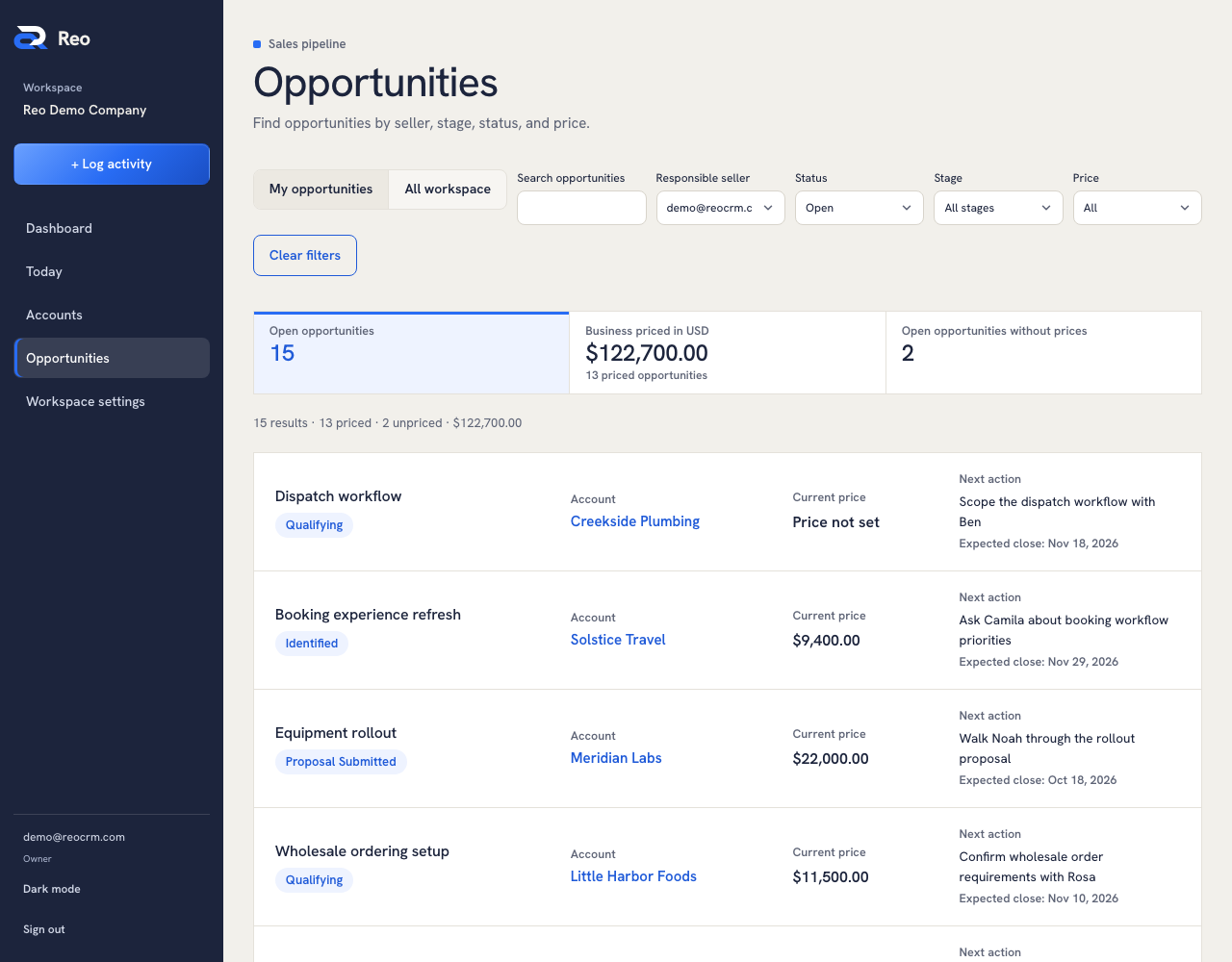
These are examples of the relationships you can organize. Start with the details that matter to you.
Keep the project conversation, decision maker, proposal, and follow-up together.
Remember the customer’s needs and plan the next conversation about an estimate.
Track company contacts, quote discussions, and opportunities for the next order.
Explore the working product with example records.
Explore the screenshots Web-based · For independent businesses and growing teams